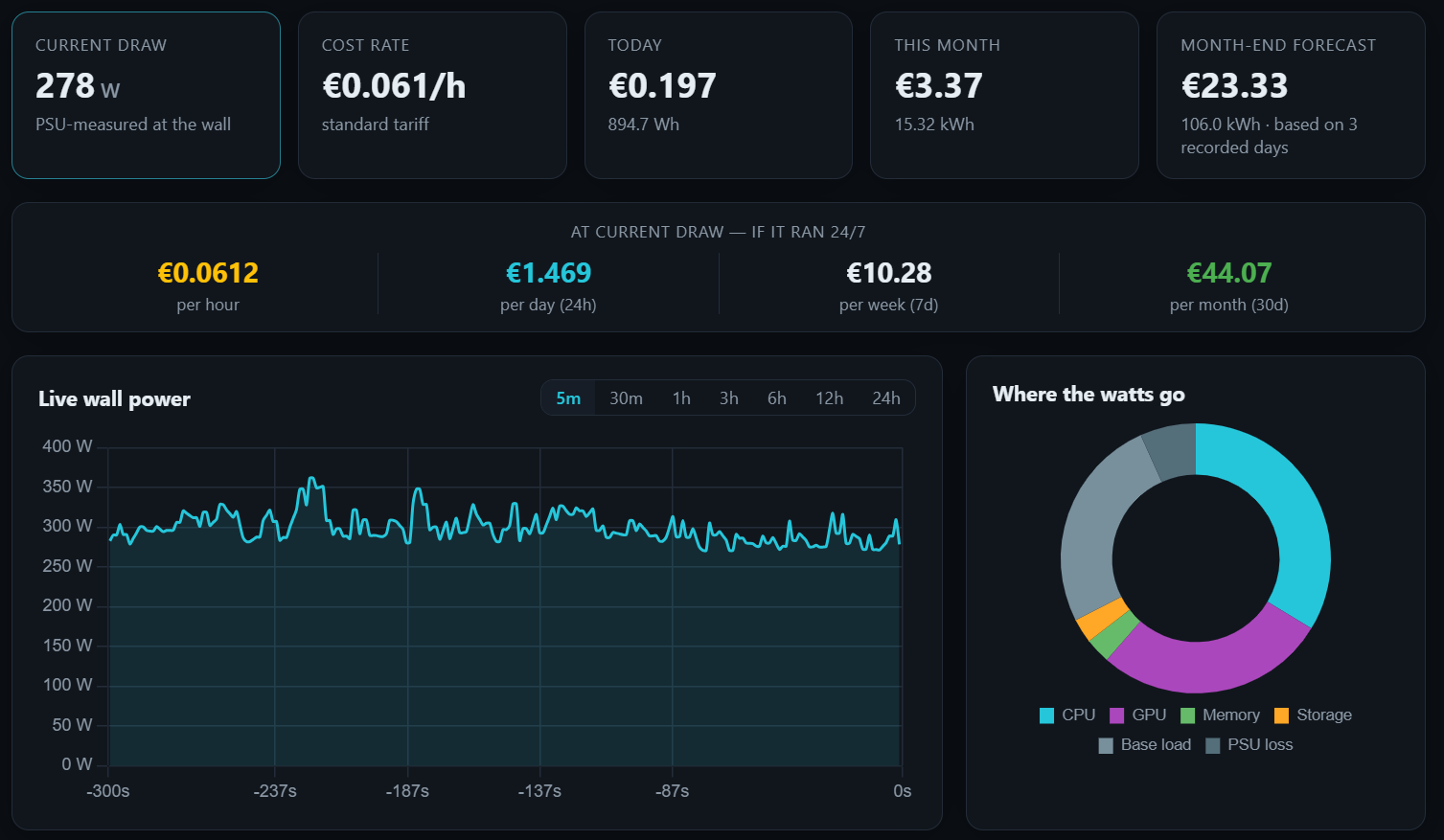
PCWattVault measures what your machine actually pulls from the wall, prices it with your own tariff — night rates, tiers, solar and all — and keeps recording in the background so the history never has holes.
Everything below runs locally, updates every second, and keeps working while the window is closed in the tray — because a history with holes is worth nothing.
Component sensors plus base load, divided by your PSU efficiency — or a genuine measurement when a digital PSU or smart plug is attached. The badge always tells you which one you are looking at.
Two GPUs? Each appears separately with its own draw. CPU, drives, everything with a sensor of its own — ranked in real time. A “~” marks anything the app estimated rather than measured, so you always know how solid a number is.
Today by the hour, 30 days, 12 months, lifetime totals — in kWh or in money, with a per-component breakdown.
Time-of-use windows, weekday and seasonal rules, consumption tiers with a household baseline, solar hours, demand charges. Any currency.
Where this month will land, and — after ten recorded days — next month and next year as honest ranges, not fake precision.
Most tools stop at “here is an estimate”. PCWattVault lets a real measurement teach the estimate — once — and then keeps being accurate even after you take the meter away.
A large gap is not a bug — it usually means fans, pumps, RGB and USB gear were under-counted. Which is exactly what the button fixes.
PCWattVault is local-first in the strict sense: there is no account to create, no server to sync with, and the interface is physically prevented from making network requests.
Accounts, sign-ups and cloud services. The app works the second it opens.
Telemetry, analytics and crash reporting. Nothing is collected — not even anonymously.
Your history is plain readable files in your own profile. Copy them to back up, delete them to erase everything.
Raw per-second samples are never written to disk — only hourly aggregates per component category, so nobody can reconstruct your minute-by-minute activity from the files. Smart-plug credentials, if you use that feature, are encrypted with Windows DPAPI and are used only to talk to the plug on your own network. Read the full inventory →
The free app is complete: tariffs, history, forecasts, predictions, themes, 14 languages. Pro adds the things you ask for once you have lived with the data for a while.
Windows notifications when temperature, wall power or the daily cost crosses your thresholds. Anti-spam built in.
“What did that gaming night / render / training run cost?” Every session records kWh, cost, peak and average watts.
Excel-friendly CSV and a monthly PDF with charts, tariff summary, predictions and a CO₂ line.
Connect a Tapo P110/P115 and your history is recorded from real wall measurements instead of a model.
Right now, every Pro feature is free — and that is a promise, not a trial. While PCWattVault is young, each installation records a Founder / Early-Adopter marker. If Pro ever becomes a paid upgrade for new users, installations carrying the marker keep everything at no cost, forever. Nothing to claim: yours is already under Settings → PCWattVault Pro.
PCWattVault ships through the Microsoft Store — sandboxed, auto-updated, removed cleanly if you ever uninstall. Out of the box it measures GPU power directly and estimates the CPU; pair it with one free tool and every sensor becomes a real measurement.
Install, done. Sandboxed and updated by Windows.
Want measured CPU power, temperatures and fan speeds instead of estimates? Pair PCWattVault with the free, open-source LibreHardwareMonitor.
Reading real CPU package power on modern Windows needs a driver-backed sensor source. Install the free LibreHardwareMonitor — its installer includes the PawnIO driver it needs — and turn on Options → Remote Web Server; PCWattVault picks it up within seconds and the tildes disappear. Until then it estimates CPU power from load, which is exactly what the “~” is telling you. GPU power is measured directly either way.
By design. It keeps recording from the notification area, because a history with gaps is useless. To really quit: right-click the tray icon → Quit, or turn off Settings → Behaviour → Keep recording in the tray.
It means no real sensor source could be reached, so the app is showing synthetic numbers to keep the interface alive and explorable. Demo data is never written to your history.
PCWattVault shows the official composite sensor — the same one Samsung Magician and similar tools display. Some utilities show the controller hotspot instead, which legitimately runs 20–30 °C hotter.
Never. Gaps in time are detected and excluded from the energy integration, so a weekend of sleep does not silently become kilowatt-hours.
Only if you use the optional smart-plug feature — that is how Tapo authenticates apps on your own network. The credentials are stored encrypted with Windows DPAPI, are used solely for the local handshake with the plug, and are never sent to the internet. “Clear credentials” deletes them immediately.
These are estimates. Every figure PCWattVault shows — watts, energy, costs, forecasts, predictions, CO₂ — is intended for guidance. Even a smart plug or digital PSU is a consumer-grade measurement. Your utility’s certified meter and your contract are the only authority for what you actually pay: do not use these figures for billing, for splitting costs between people, or for financial decisions.
Independence. PCWattVault is an independent application with no affiliation, endorsement or commercial relationship with TP-Link. TP-Link and Tapo are trademarks of their owner; the optional smart-plug feature uses the plug’s local device interface on a best-effort basis. LibreHardwareMonitor and PawnIO are third-party open-source projects with their own licenses.